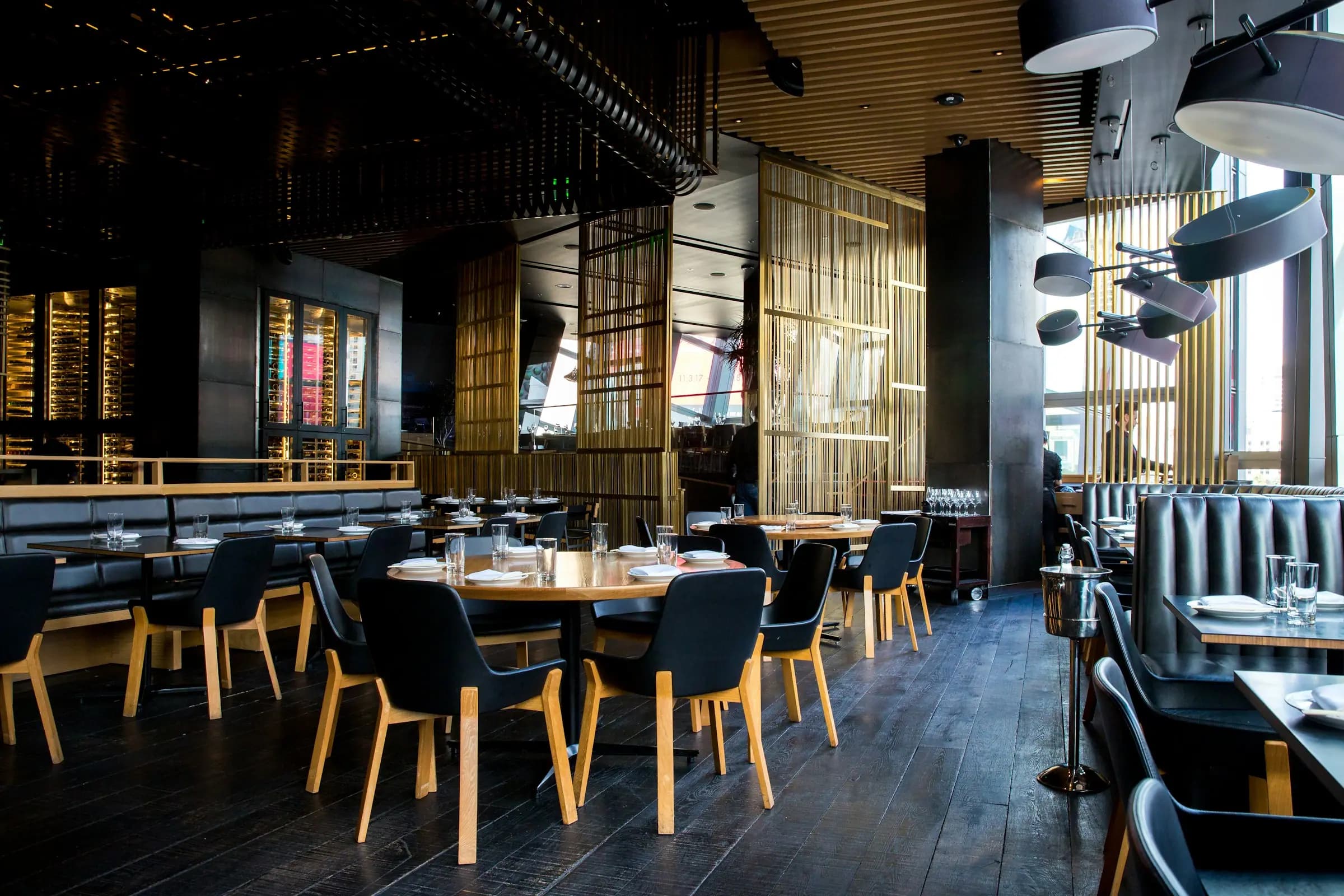
QR Menu & Operating System
Flowisma Resto is an AI-powered management platform for restaurants. With a single QR code — menu, orders, kitchen, register, and finance — your whole restaurant on one platform.
What Sets Us Apart
Things you won't find together in any other system.
Not just another QR menu. Field-born solutions that actually protect and grow your business.
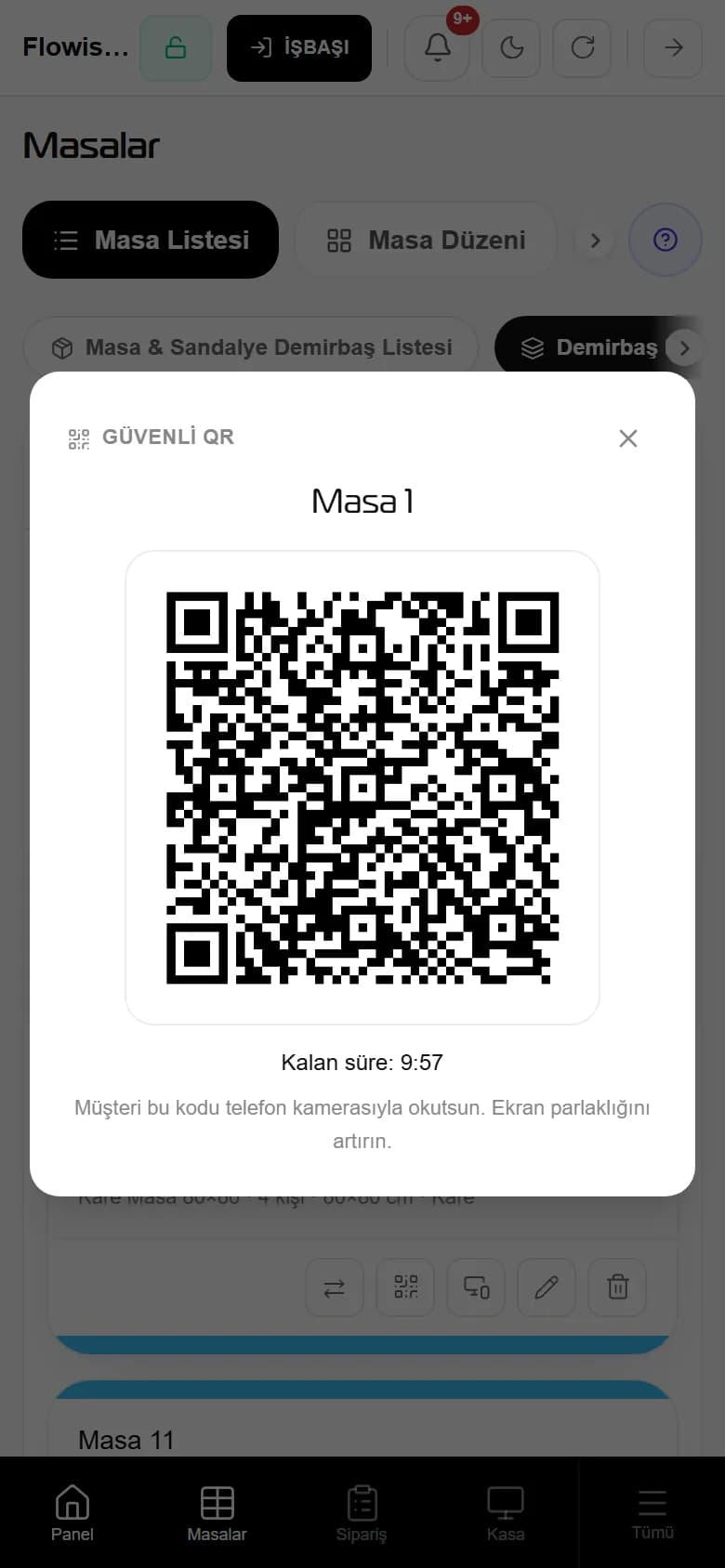
Shut the fake-QR trap before it opens.
Scammers stick their own code over the one on your table. In Flowisma your waiter shows the code from their own screen; it's generated on the spot and renews within minutes.
- A copied code expires within minutes
- Orders always land on the same table's tab
- Printed QR codes can stay on or be switched off entirely
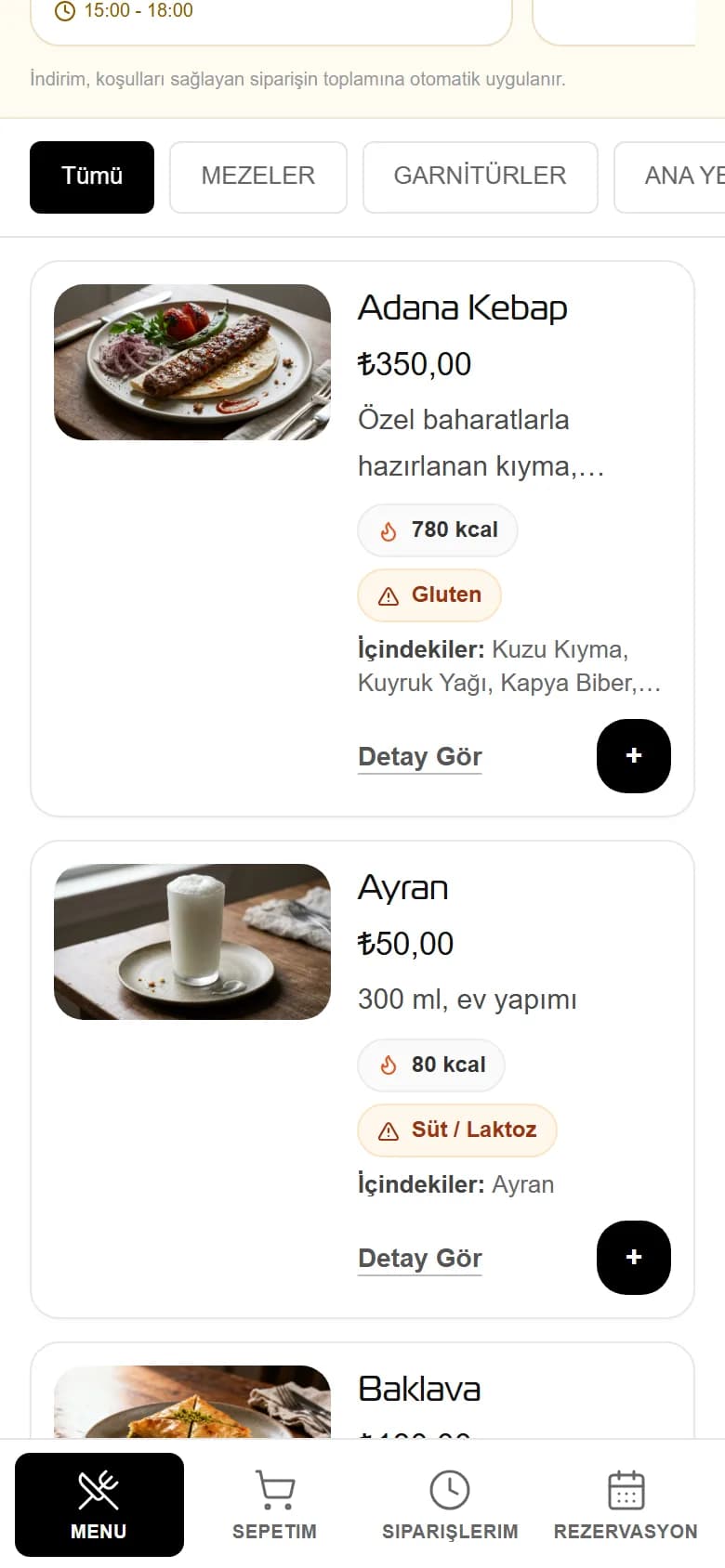
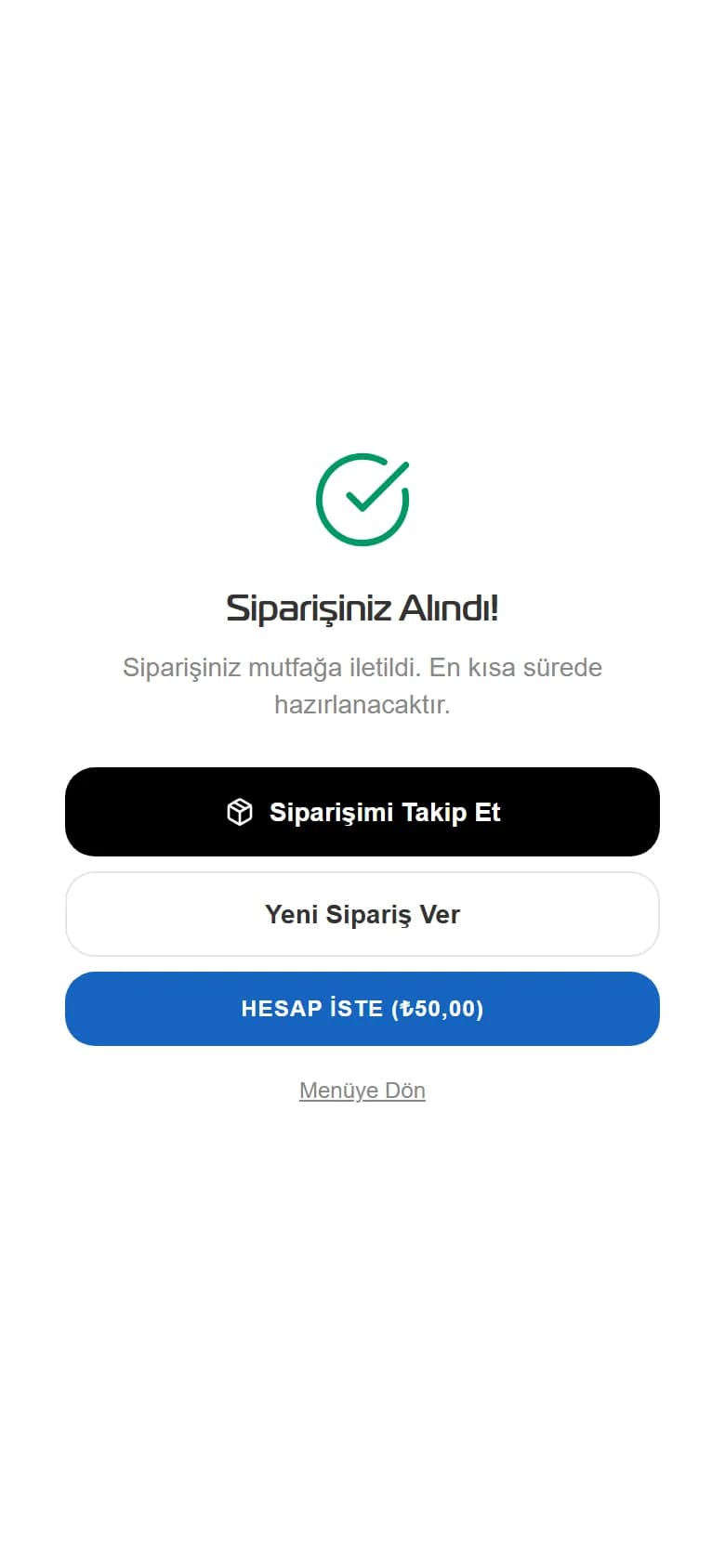
Order is on Table 1's tab
Secure QR · code renews every 10 minutes
The code works only on this table and within this window; a copied or pasted-over fake code can't order for another table.
Next: being prepared on the kitchen screen
AI Modules
AI works for you. You look after your restaurant.
From the menu to marketing, from reports to reservations — every module is AI-assisted, on one platform, under one subscription.
Ask your restaurant a question. Get an answer.
"What's today's revenue?", "Which dish earns the least?", "Why did Tuesday drop?" — clear answers built on your own sales data, in seconds.
- Ask in plain language, get numbers back
- Finds under-performing dishes on its own
- Approve the suggestion and it applies it
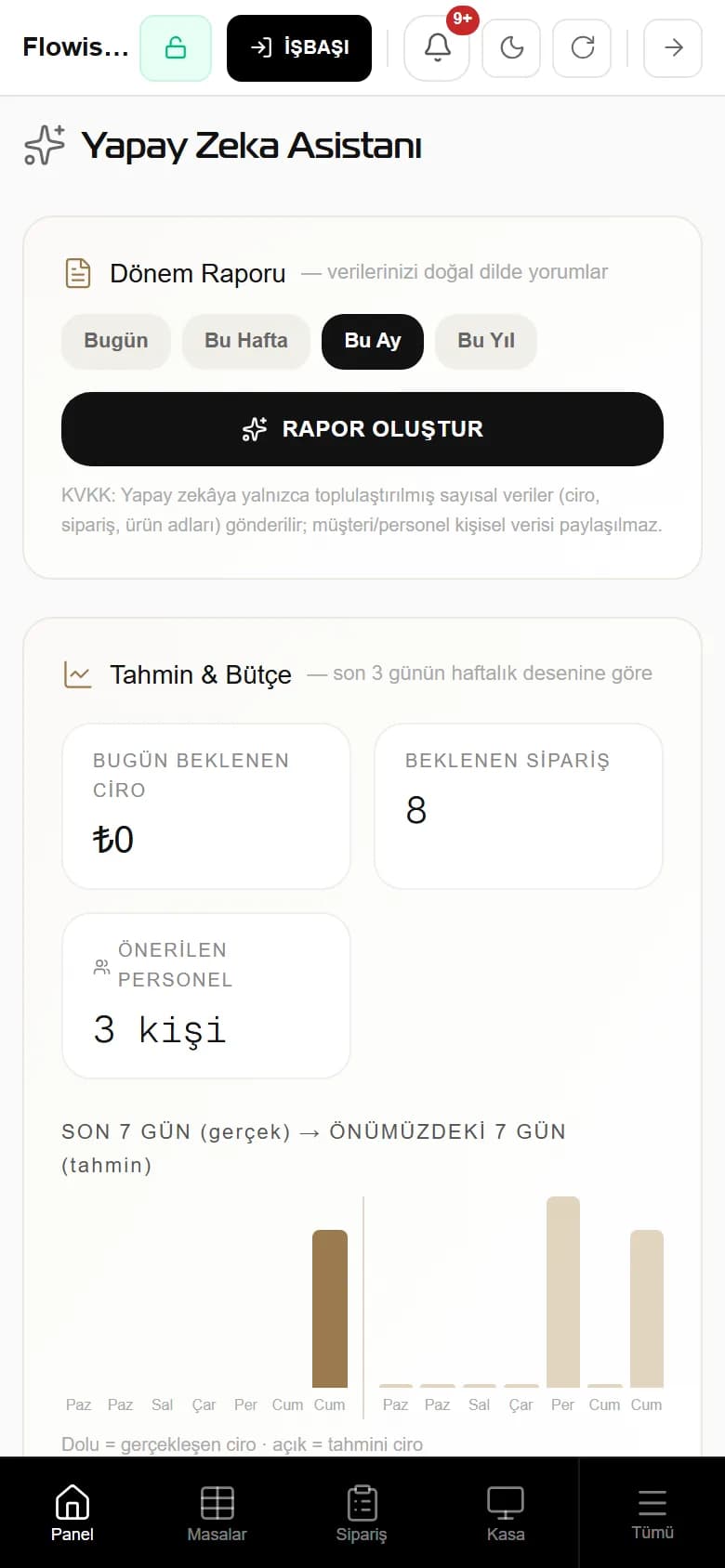
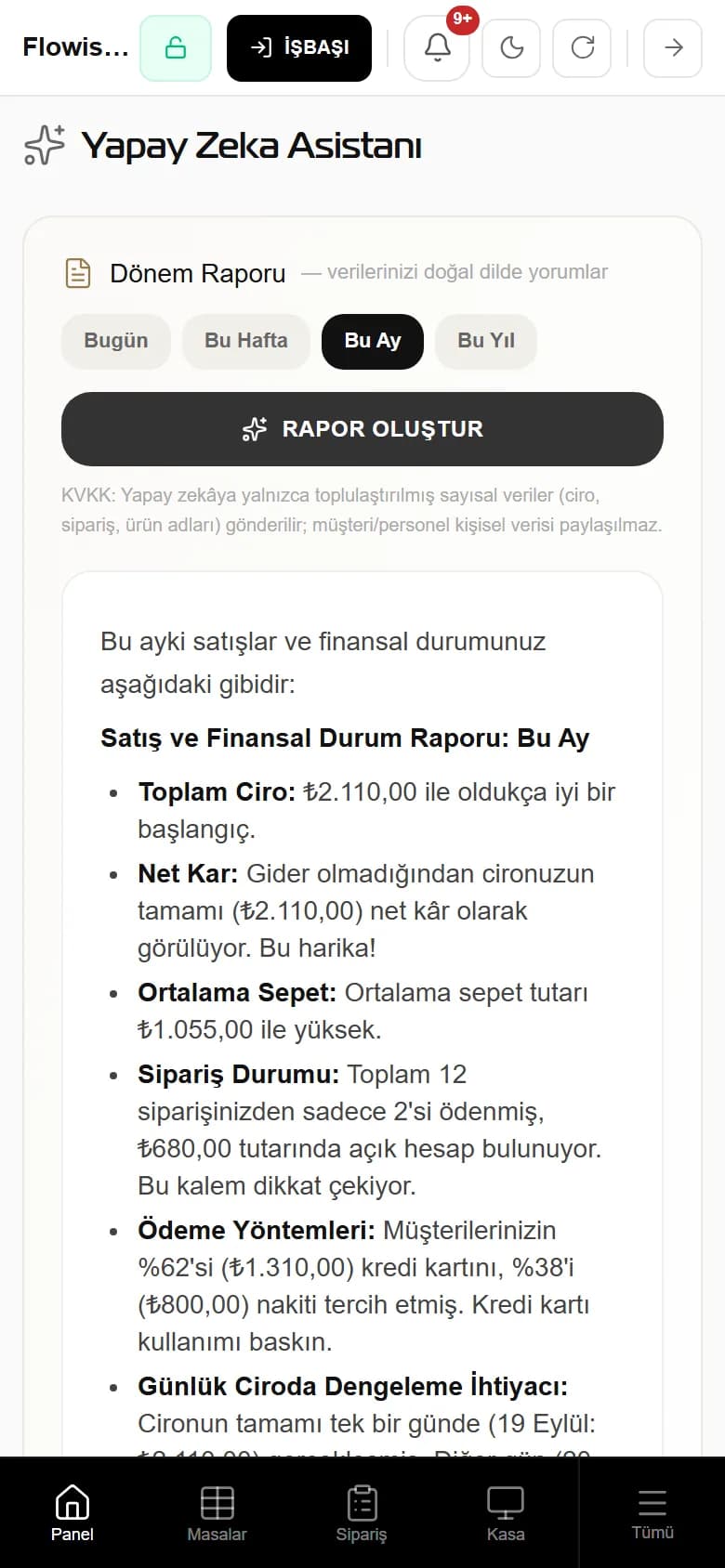
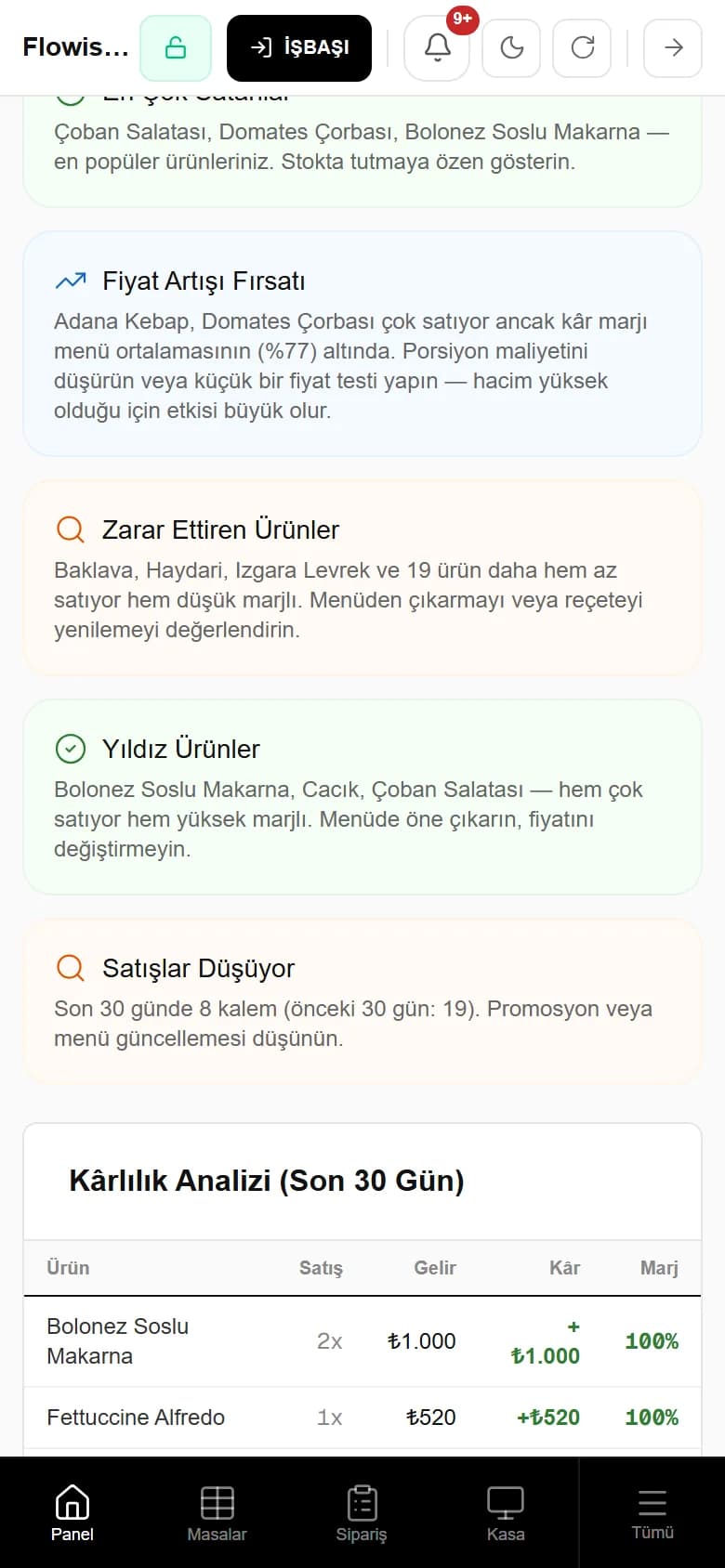
Report ready: a price-increase opportunity
This month · Gemini · 1 click · aggregated numbers only
Adana Kebab and Tomato Soup sell a lot but their margin is below the menu average (77%) — cut the portion cost or run a small price test.
Next: update the price in the menu, live on the QR instantly
Customers & Profit
Bring guests back. Grow your profit.
Every order from the menu becomes a customer record: points build up, campaigns reach the right group, reviews travel to Google. A relationship that starts at the table lasts until the next visit.
Turn every order into a customer record.
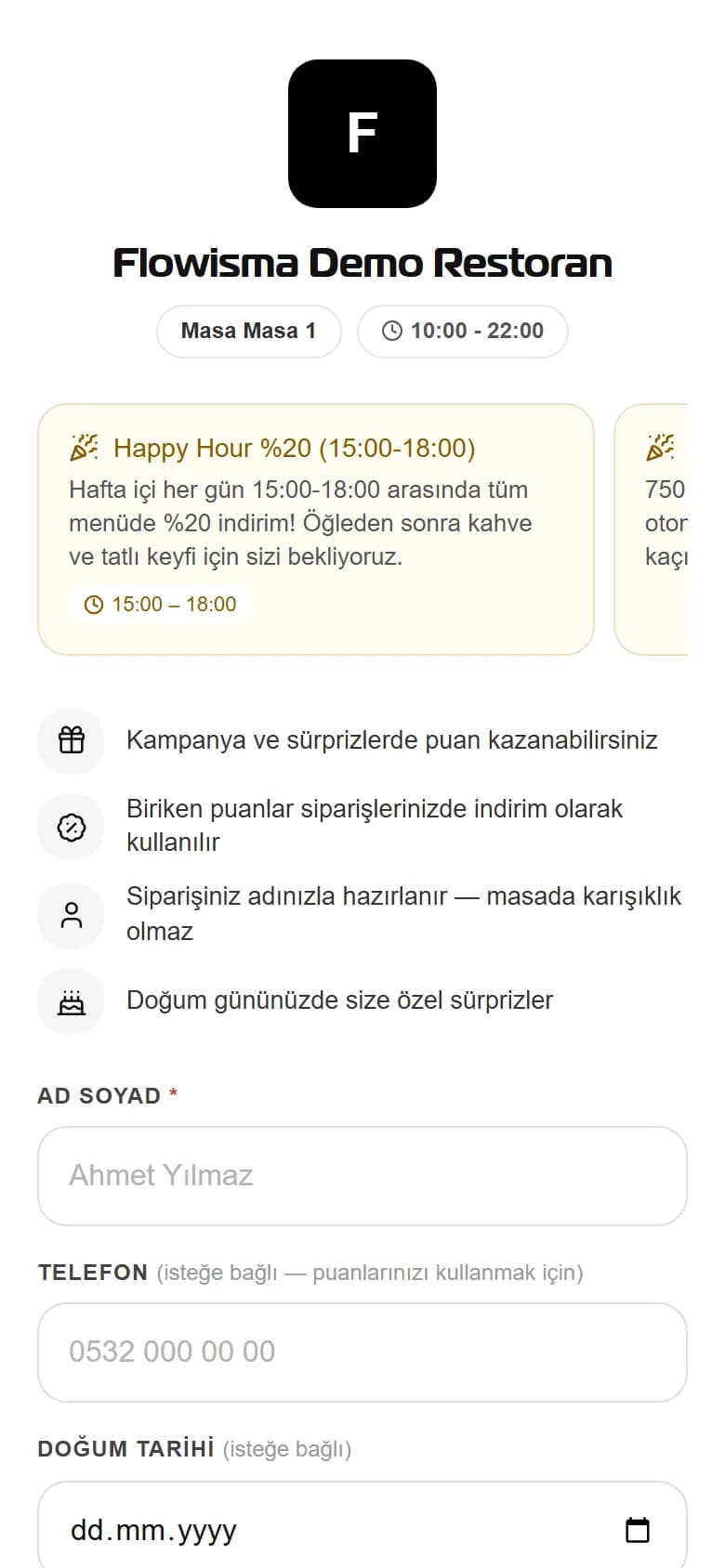
Guests leave their phone number on the QR menu and give consent; their orders and points build up in their account. You see who came when and what they spent.
- Points on every paid order, at a rate you set
- Points turn into a discount on the next order
- GDPR-style consent is taken with sign-up and can be revoked from the panel
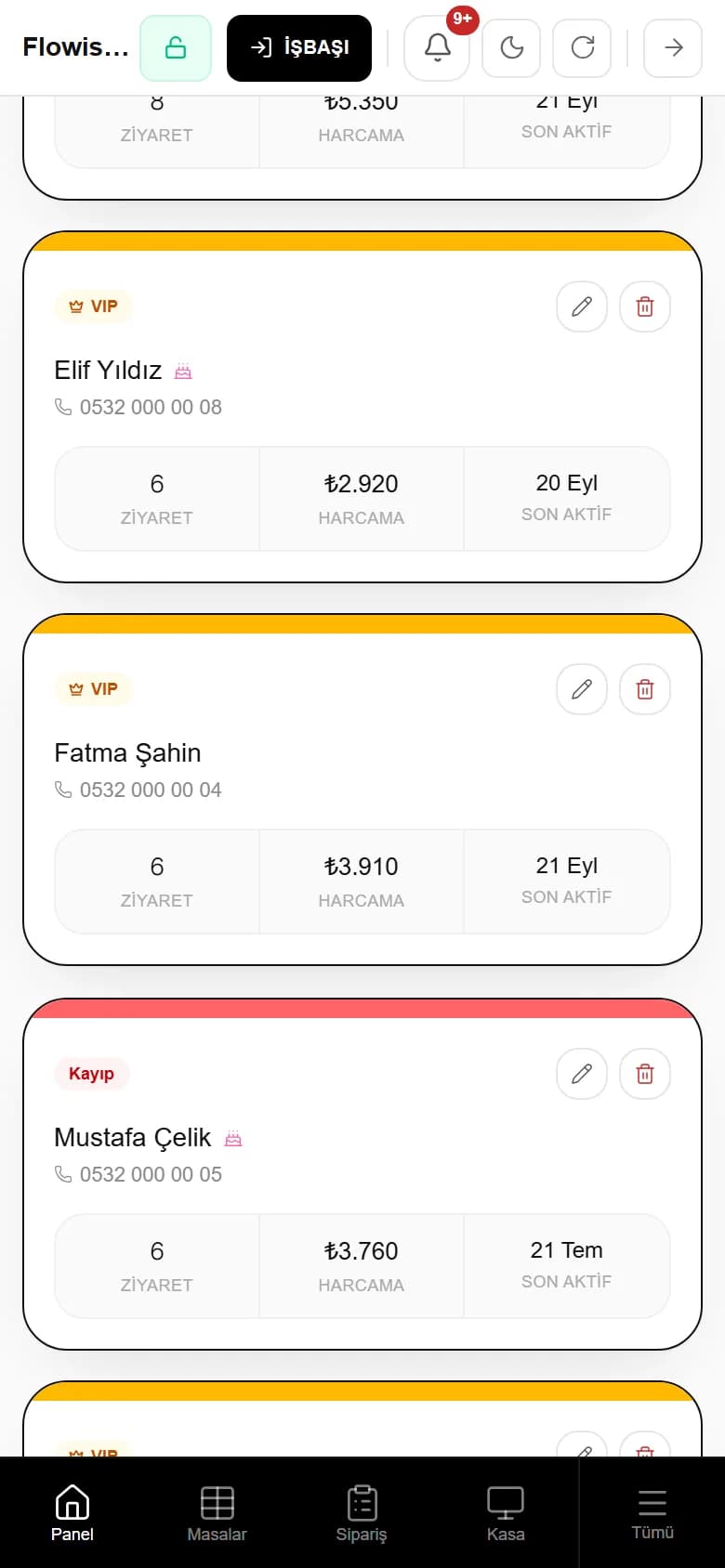
Elif Yıldız is now a VIP
6 visits · ₺2,920 spent · last active 20 Sep
The number was saved from the table QR; points accrued with every payment and the segment became VIP by itself. Campaigns now reach the right people.
Next: a campaign for VIPs (next scene)
What is Flowisma Resto?
Your Restaurant's Entire Operation, on One Screen
Flowisma Resto is an AI-powered business management system that brings your restaurant's entire operation — from the QR menu to the kitchen, from the register to your finances — together on a single platform. No separate programs, separate accounts, or separate learning curves: the waiter taking the order, the kitchen preparing it, the cashier collecting payment, and the manager reading the report all meet in the same system.
One Platform
QR menu, POS, kitchen display, inventory, finance, and CRM all work connected.
AI-Powered
From sales analysis to menu suggestions, the AI assistant reads your operation for you.
Set Up in a Day
We upload your menu; your team starts using it the same day.
Works at Any Scale
From a single-location café to a multi-branch chain, the same system grows with you.
Features
What Our System Offers
Every tool you need to grow your restaurant, working together seamlessly.
QR Menu
A digital menu per table. Customers scan the QR code and reach the menu instantly. The same QR goes on flyers and posters too — customers outside order pickup or delivery.
Order Management
Real-time, table-based order tracking. See what's on every table live and manage it.
Kitchen Display (KDS)
A dedicated task board for the kitchen. Orders appear on screen in priority order.
AI Assistant
An AI-powered restaurant assistant. Sales analysis and recommendations in one click.
Courier Tracking
Delivery and courier management. Assign couriers and track delivery status live.
Finance & Expenses
Income-expense tracking and reporting. Daily and weekly financial summaries on one screen.
Staff Management
Team management and PIN login. Each staff member signs in with their own PIN.
Inventory Tracking
Stock and ingredient management. Low-stock alerts and recipe-based consumption.
POS System
A fast register screen. Touch-friendly, practical product selection and payment.
Multilingual Menu
The QR menu speaks Turkish + up to 20 or 40 languages depending on your plan. Foreign guests see the menu in their own language with one tap.
Allergens & Ingredients
All 14 EU allergens and ingredients on the product card. Allergic guests see it without asking the staff.
Smart Stock–Menu Link
When an ingredient of a recipe-defined item runs out, the item leaves the menu automatically — and returns when stock arrives.
All Modules
One End-to-End Platform
No need for separate programs — from opening to the end-of-day report, a ready-made module for every part of your restaurant.
QR Menu & Guest Experience
- Order at the TableThe guest scans the QR and places their own order; it drops onto the kitchen screen instantly.
- Pickup & DeliveryThe same QR printed on flyers takes orders from outside — no marketplace commission.
- Multilingual MenuTurkish + translation into up to 20 or 40 languages depending on your plan; foreign guests see the menu in their own language with one tap.
- Allergens & IngredientsAll 14 EU allergens and ingredients on the product card; allergic guests see it without asking.
- Option GroupsMild/spicy, extras — items cannot be added to the cart until required choices are made.
- Stock-Linked MenuWhen an ingredient of a recipe-defined item runs out, the item leaves the menu on its own; it returns when stock arrives.
- Call Waiter & Request BillGuests call a waiter or ask for the bill with one tap; staff get an instant notification.
- Live Order TrackingGuests follow preparation status step by step on the 'My Orders' screen.
- Loyalty PointsGuests see their point balance on the menu and can spend it on an order with SMS confirmation.
- Customer ReviewsStars and comments are collected after the order; low ratings alert management instantly.
- Google Review BridgeAfter leaving feedback, guests jump to your Google profile with one tap and write the review under their own name.
- Campaign DisplayActive campaigns are announced on the menu; discounts apply to the cart automatically.
- Daily PriceItems with daily pricing show a dated 'Today's Price' badge — no more price disputes.
- Menu Screen in 9 LanguagesButtons, cart and allergen warnings in the guest's language too; Arabic reads right to left.
- Approximate Currency PriceForeign guests see an approximate price in their own currency; the bill stays in Turkish lira.
- Secure QRA time-limited code generated on the waiter's screen blocks fake-QR sticker scams.
- Reservations via QRGuests pick a date, time and party size on the menu and leave a reservation request.
Operations
- DashboardThe overall status of your business, daily summaries and statistics on one screen.
- Menu ManagementProducts, categories, and pricing, edited with drag-and-drop.
- AI Menu ScanUpload a photo of your printed menu and let AI extract categories, products, and prices automatically.
- Menu DoctorYour menu is reviewed against your own sales data; items without a photo or recipe, or viewed but not ordered, are listed with suggestions.
- Menu Interest TrackingSee how many times and for how long each item was viewed.
- Web ShowcaseA page of your own: opening hours, address and directions, highlights, gallery.
- Table ManagementFloor plan, occupancy status, and open tabs tracked in real time.
- ReservationsReservation requests are recorded and managed on a calendar.
- Order TrackingDine-in and takeout orders in one list, with their live statuses.
- Kitchen Display (KDS)Orders are relayed to the kitchen team instantly, with their preparation stages.
- Courier ManagementTakeout orders are assigned to couriers and the delivery process is monitored.
- Inventory & StockIngredient stocks, raw-material movements, and warehouse status are recorded.
- Staff & ShiftsEmployee records, shift plans, PIN login, and permissions.
Finance & Accounting
- Register (POS)Daily cash flow, register movements, and a fast payment screen.
- Finance & ReportingIncome-expense balance, receivables-payables tracking, and financial health reports.
- InvoicingCreate invoices for customers and suppliers; e-invoice infrastructure ready.
- End of Day / Z ReportDaily transactions are closed and registers counted; the end-of-day summary is archived automatically every night.
- Supplier Price HistoryWho you bought each ingredient from, at what price and how much it rose; a supplier offering the same item cheaper stands out.
- NotificationsSystem alerts, payment reminders, and critical stock notifications.
Marketing & CRM
- CampaignsTargeted discounts and promotions, built around customer segments.
- Customers (CRM)Contact details and ordering habits gathered on a single card.
- Loyalty ProgramPoint collection and reward programs increase customer loyalty.
- Customer SegmentationCustomers are automatically grouped by their spending behavior.
- Social MediaAI-assisted content creation, approval flow, and post scheduling.
- Brand KitLogo, colors and typeface are defined once; AI designs are produced with this identity.
- AI AssistantAnalyzes your business data and offers sales and cost recommendations.
System & Configuration
- QR Menu DesignTemplates, colors, and layout — your menu takes shape around your brand.
- Permissions & RolesWaiter, cashier, chef — role-based access and individual permissions.
- Integration APIA connection layer for courier platforms and third-party software.
- Data ImportBulk-upload products, stock, customers, and sales history via Excel/CSV.
- Feature ManagementModules are turned on or off with a single click as needed.
- Plan ManagementSubscription details, usage period, and plan upgrades in one place.
Get Started in 3 Steps
Request a Demo
Reach us on WhatsApp. Let us get to know your restaurant and answer your questions.
Set Up in a Day
We upload your menu and onboard your team. All the technical setup is on us.
Start Right Away
Start using the system live the next day. 24/7 support is by your side.
Industries
Which Industries Is It For?
From a single-location café to a hotel chain — Flowisma Resto adapts to your type of business.
Fine Dining Restaurants
Service rhythm that never breaks
Reservations, floor plan and course-based kitchen priority run on one rhythm. Your team looks after guests while the system runs the flow — no cash gap at closing.
See DetailsFranchises & Chains
Branches that resemble each other
Menu, recipes and QR design reach every branch in one action. Revenue is broken down per branch in one panel, and a branch manager never sees the whole brand.
See DetailsMulti-Branch Cafés
The queue melts at order speed
Oat milk, extra shot, syrup — choices are written into the order and read off the bar screen. Extra charges land on the check, closing the bar's revenue leak.
See DetailsHotels & Resorts
Separate outlets, one management
Pool bar, terrace and restaurant are run as separate areas; an out-of-season area closes with one switch. The menu opens in the guest's language — up to 20 or 40 languages depending on your plan.
See DetailsBars & Nightlife
Right check even through the noise
Guests write their own order from their phone and the fake-QR trap is closed by design. Denomination counts and an unalterable ledger keep cash gaps off the morning.
See DetailsKebab Houses & Ocakbaşı Grills
Let the grill read what to cook
No order without a heat level; extra flatbread and ezme are written into the line with their prices. Gram-based recipes deduct meat and keep margin visible daily.
See DetailsSeafood Restaurants
Put the price's date on the menu
The day's price shows with its date; if it was not entered this morning the badge says so, and no guest is misled. Expiry and waste are tracked separately.
See DetailsCloud Kitchens
Your own commission-free channel
Your QR menu takes pickup and delivery orders — no marketplace commission. Recipe-based stock deduction works out profit per order.
See DetailsPricing & Plans
The Right Plan for Your Business
From a small kiosk to a restaurant chain — as many modules as you need, as much as you pay. Before you buy, you can try the whole system with a free demo.
Starter
₺1,500/mo + VAT
₺1,800/mo incl. VAT
1 branch included · Extra branch +₺700/mo
25% off when paid yearly → ₺1,125/mo + VAT
QR menu: Turkish + English
- Register (POS) — fast, touch-friendly checkout
- Order management — live, table by table
- Menu management — categories, items, prices, photos
- QR menu — a digital menu per table
- Order at the table — guests order from their own phone
- Secure QR — fake codes and wrong-table traps blocked
- Kitchen display (KDS) — orders in priority order
- Table management — floor plan, merge, move
- Option groups — spicy/mild, extras
- Allergens & ingredients — 14 EU allergens on the card
- Call waiter & request bill — one tap
- Staff management — PIN login, roles, shifts
- Online payment — with your own virtual POS accountsoon
- End of day — Z report, cash count, shift close
- Management panel — revenue, reports, settings in one place
AI, SMS & WhatsApp allowances
Per branch, per month: 150 text · 15 images · 3 menu scans. Your branches draw from a shared pool. Extra packs are available from the store when needed.
Professional
₺4,000/mo + VAT
₺4,800/mo incl. VAT
1 branch included · Extra branch +₺1,800/mo
25% off when paid yearly → ₺3,000/mo + VAT
QR menu in 20 languages
see languages
English, German, French, Arabic, Russian, Chinese (Simplified), Japanese, Italian, Spanish, Portuguese, Dutch, Persian, Ukrainian, Polish, Bulgarian, Romanian, Greek, Azerbaijani, Georgian, Korean
- Everything in Starter + 3 new business areas
- 🌍 Guest experience & languages
- Multilingual QR menu — AI translation into 20 languages
- Pickup & delivery — outside orders through the same QR, no commission
- Courier orders — parcel tracking and courier assignment
- Reservations — online requests, phone verification, table plan
- Live order tracking — guests follow preparation step by step
- Guest reviews — stars and comments from the QR
- Google bridge — carries the review to your Google profile
- AI menu scanning — import your menu from a photo
- 💰 Finance & accounting
- Invoicing — invoices for corporate customers
- Pre-accounting — income, expenses, VAT summary
- Receipt scanning — expense receipts recorded from a photo
- Accountant package — month-end in one file
- Inventory — stock, low-stock alerts, counts
- Recipes & stock deduction — ingredients deducted on sale
- Data import — products, customers, sales history via Excel/CSV
- 📣 Marketing & CRM
- Customer CRM — profiles and order history
- Loyalty points — earn, spend, campaigns
- Campaign management — timed discounts and offers
- Segmentation — VIP, lapsed, new customer groups
- AI social media — generates post copy and visuals
AI, SMS & WhatsApp allowances
Per branch, per month: 500 text · 60 images · 4 videos · 10 menu scans · 300 receipt scans · 200 SMS. Your branches draw from a shared pool. Extra packs are available from the store when needed.
Enterprise
₺8,000/mo + VAT
₺9,600/mo incl. VAT
1 branch included · Extra branch +₺3,500/mo
25% off when paid yearly → ₺6,000/mo + VAT
40+ languages — whoever walks in
- Everything in Professional + 4 new business areas
- 🏢 Multi-branch management
- Multi-branch — all branches on one panel
- Central menu distribution — menu, recipes and QR design pushed to branches
- Branch-level reports — revenue and profit per branch
- Role-based visibility — a branch manager sees only their branch
- 🧾 Tax compliance & profitability
- Tax office integration — automatic e-invoice / e-archive submissionsoon
- Supplier ledger — payables and payment statements
- Profit margin report — cost and margin per item
- 🚚 Delivery & integrations
- Live courier tracking — location on a mapsoon
- Marketplace integrations — Yemeksepeti, Getir, Trendyol Go orders on one panelsoon
- 🤖 Automation & messaging
- AI assistant — sales analysis, suggestions, Q&A
- Customer notifications — order and reservation status messages
- SMS verification — one-time codes for reservations and loginsoon
- WhatsApp messaging — birthdays, lapsed guests, reservation reminderssoon
AI, SMS & WhatsApp allowances
Per branch, per month: 1,500 text · 150 images · 8 videos · 20 menu scans · 1,000 receipt scans · 200 AI assistant questions · 1,000 SMS · 500 WhatsApp conversations. Your branches draw from a shared pool. Extra packs are available from the store when needed.
Custom Solution
On request
⚠️ This plan works differently: a one-time setup fee + monthly maintenance instead of a monthly subscription.
Unlimited languages + new ones on request
- Everything in Enterprise
- Unlimited branches
- Isolated server — deployed on your own Docker/VPS
- Unlimited languages + new ones on request
- Your own AI API key → unlimited AI (or Flowisma S/M/L packages)
- Custom website
- Custom integrations
- Priority support
AI, SMS & WhatsApp allowances
Your own AI API key → unlimited AI (or Flowisma S/M/L packages)
All prices are subject to 20% VAT. Every plan includes 1 branch; additional branches are added to the plan price. AI, SMS and WhatsApp allowances are defined per branch and shared across all your branches; they can be topped up from the store when needed. For a free demo, sign up — no credit card required.
Frequently Asked Questions
Things You Might Wonder
Your questions are answered here. For anything you can't find, message us on WhatsApp.
What is Flowisma Resto?
Flowisma Resto is restaurant management software that brings QR menu, order management, kitchen display (KDS), register (POS), inventory, finance, and CRM together on a single platform. Instead of using separate programs, you manage your entire operation from one panel.
How does the QR menu system work?
A dedicated QR code is assigned to each table. The customer scans it with their phone, sees your digital menu, and can order directly if they wish. The order drops onto the kitchen screen instantly and your staff get a notification — no more paper menus and order slips. The QR isn't tied to the table either: put your menu's general code on flyers, posters or your social media; customers scan it from outside and place a pickup or delivery order — with no marketplace commission.
We have no paper menu — how do we set up the menu?
There are three ways: photograph a paper menu and let AI read it, enter items by hand, or pick a concept, target audience, price range and menu size and start from an AI-prepared draft. Prices in the draft are estimates; no item is added to the menu without approval.
Can we have our own web page?
Yes. A showcase page is prepared with opening hours, address and directions, contact details, featured items and a gallery. It appears in search engines, and the menu is one tap away.
Can I take orders from outside — do I pay commission?
You can, and you pay no commission. When you put your QR code on flyers, posters or your social media, customers scan it from outside and place their pickup or delivery order directly with you. Flowisma runs on a flat monthly subscription and takes no per-order commission. Sample calculation: 10 takeout orders a day, a 300 TL average basket and a 30% marketplace commission add up to roughly 27,000 TL a month that stays in your pocket.
Can I carry customer reviews over to Google?
Yes. After a guest leaves stars and a comment on the QR menu, a 'Review us on Google too' link is shown; the guest is taken to your Google profile with one tap and writes the review under their own name. No reviews are posted automatically — it is an honest bridge that complies with Google's policy. Low-rated feedback also reaches your management panel instantly.
How long does setup take, and is technical knowledge required?
No, no technical knowledge is required. We upload your menu, onboard your team, and usually take the system live within 1 day. You can start using it in your restaurant the next day.
Do I need to buy special hardware?
No. Flowisma runs in the cloud: the register, kitchen display, and management panel work on the phones, tablets, and computers you already have. You don't need to buy screens, handheld terminals, or a register PC; add hardware later if you wish — the system opens on any device with the same account.
Is there a free demo?
Yes. Before you buy, you can try the whole system with a free demo. We don't ask for a credit card; just message us on WhatsApp or sign up.
What types of businesses can use it?
All food and beverage businesses can use it, including cafés, fine dining restaurants, kebab houses/ocakbaşı grills, seafood restaurants, bars, hotel restaurants, resorts, and cloud kitchens. The system adapts to your type of business.
I have multiple branches — can I manage them all?
Yes. As the brand owner, you can monitor every branch's revenue, menu, and performance from one panel; with centralized menu and recipe distribution, you keep the same standard in every branch.
Is it integrated with platforms like Yemeksepeti and Getir?
The courier and marketplace integration infrastructure is ready. Once your business obtains API access from the relevant platform, orders gather on one panel — we assist you throughout the process.
How is pricing — do I pay monthly?
Plans are monthly subscriptions: Starter ₺1,500, Professional ₺4,000, Enterprise ₺8,000 per month (excl. VAT). Every plan includes 1 branch; additional branches are added at a fixed monthly fee. Paying yearly gives 25% off the total. AI, SMS and WhatsApp allowances are defined per branch and shared by all your branches from one pool; extra packs are available from the store. You can upgrade at any time. The Custom Solution plan works differently: a one-time setup fee plus a monthly maintenance fee instead of a subscription.
How am I billed with multiple branches?
Every plan includes 1 branch. Each additional branch adds a fixed monthly fee depending on your plan: Starter +₺700, Professional +₺1,800, Enterprise +₺3,500 (excl. VAT). Allowances scale with the number of branches: a Professional account with 3 branches gets 3 × 500 = 1,500 AI text credits a month, shared by all branches from one pool. Adding or removing a branch is reflected on your monthly bill immediately.
Can I migrate my product and customer data from my old system?
Yes. With the Data Import wizard, you can upload your products, stock/inventory, customers, and sales history step by step from an Excel/CSV file. Fields are matched automatically, faulty rows are reported, and the import can be undone with one click if needed — your history isn't lost.
Is there customer loyalty and campaign management?
Yes. With the loyalty system you can define points, segment your customers by spending behavior, and build segment-based discount campaigns. The AI-assisted social media tool also prepares your marketing content for you.
Let's transform your restaurant.
The demo is free. Setup is free. Only your transformation matters.
Request a Demo on WhatsApp